Built for Logging Later — Product Design for a Parkinson’s Care App
Project Type
Mobile App
Client
Personal Case Study
Year
2026
Role
Product Design (End‑to‑End)
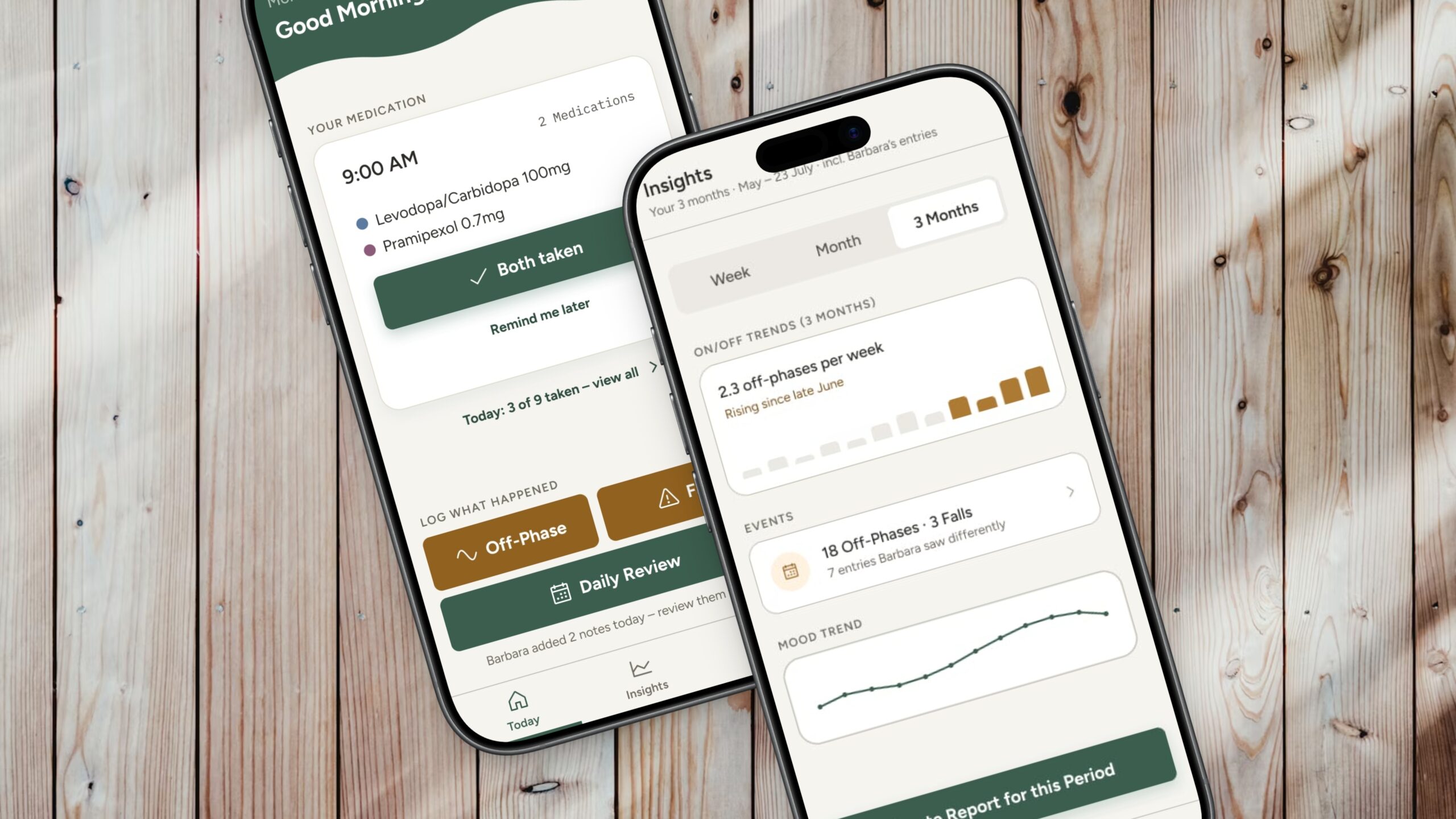
This one is personal: my father has lived with Parkinson’s for years. I watched my mother learn its rhythms — the good stretches, the sudden off‑phases — long before I ever sketched a screen. PDpal documents medication, daily state, and on/off‑phases, giving families and neurologists a clear, honest picture of how the disease is progressing, without adding to a load that’s already considerable.
01 — Challenge
Two Kinds of Apps, Neither One Enough
Existing Parkinson’s apps each solve one half of the problem: clinically credible symptom tracking with no caregiver connection or generic care coordination with no domain expertise. None combine both and none treat logging symptoms after the fact as the default case, even though that’s the reality of Parkinson’s: off‑phases tend to happen exactly when entering data is least possible. Clinical depth and live caregiver visibility, together, was the gap PDpal was built into.
How can one app be radically simple for patients with motor impairment and diagnostically valuable for neurologists at the same time — for a user group whose abilities and needs change over years, not months?
02 — Research
One App, Three Roles That Keep Changing
Research began with close, ongoing observation of how patients and caregivers actually document day to day, before the competitive analysis that followed. Documentation tends to fall away in daily life; when it happens at all, it’s usually on paper. Living with the condition often means constant trial and error, particularly during off‑phases — what helps, what doesn’t, how today compares with yesterday. Timing matters more than it might seem: even a small delay in medication, or added stress, can visibly change the rest of the day.
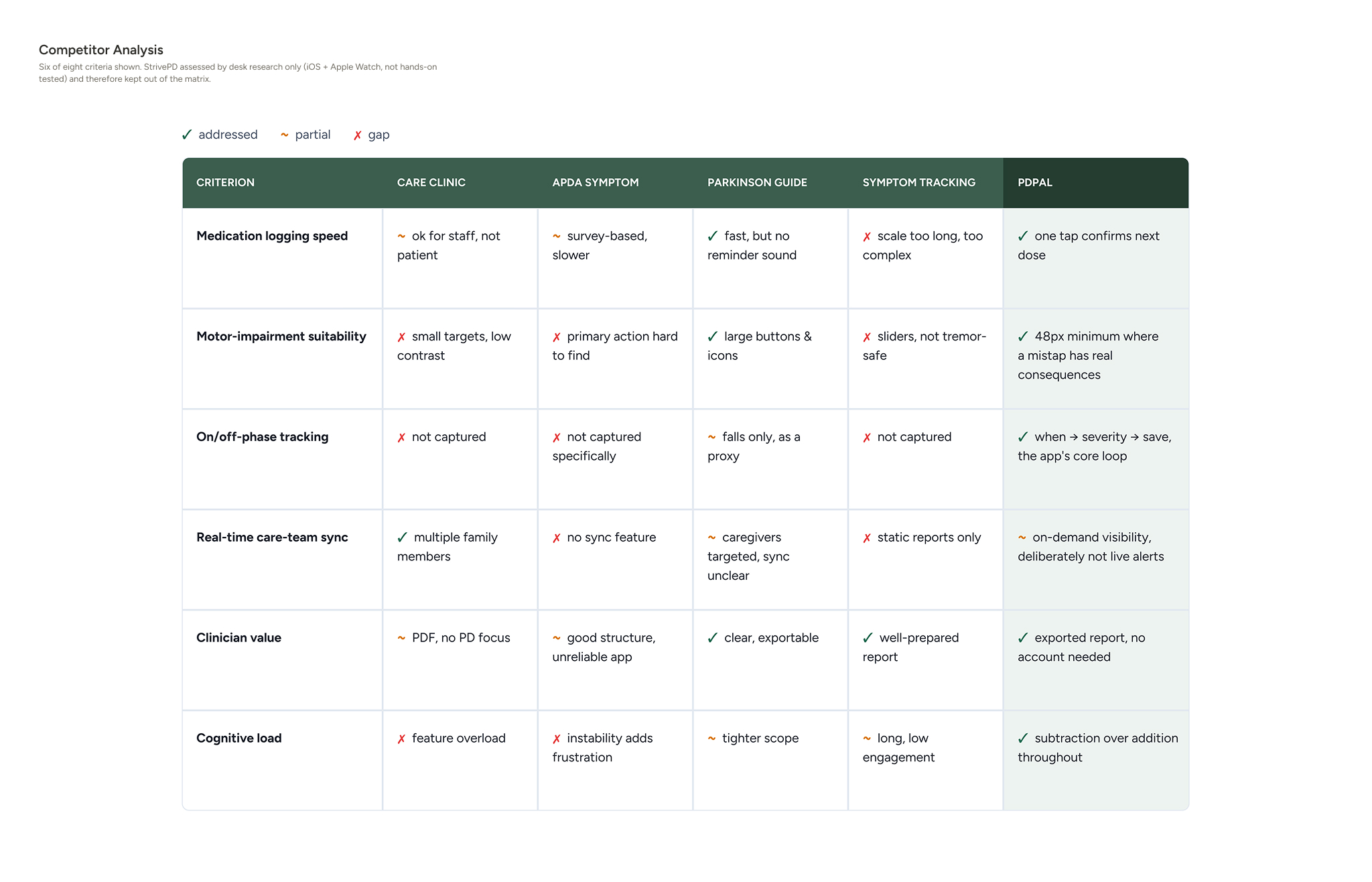
Four direct competitors were compared across six self‑developed criteria, including motor‑impairment suitability and how fast the app supports on/off‑phase tracking. None combined real‑time care‑team sync with Parkinson’s‑specific expertise — that gap became PDpal’s positioning.
An empathy map for Barbara surfaced the tension that became the project’s most important design principle. Outwardly, she downplays the load — „I can manage“ — while inwardly she carries guilt over off‑phases she didn’t notice and exhaustion from the double duty of caregiving and daily life. The app couldn’t feel like one more responsibility; it had to feel like a quiet form of relief.
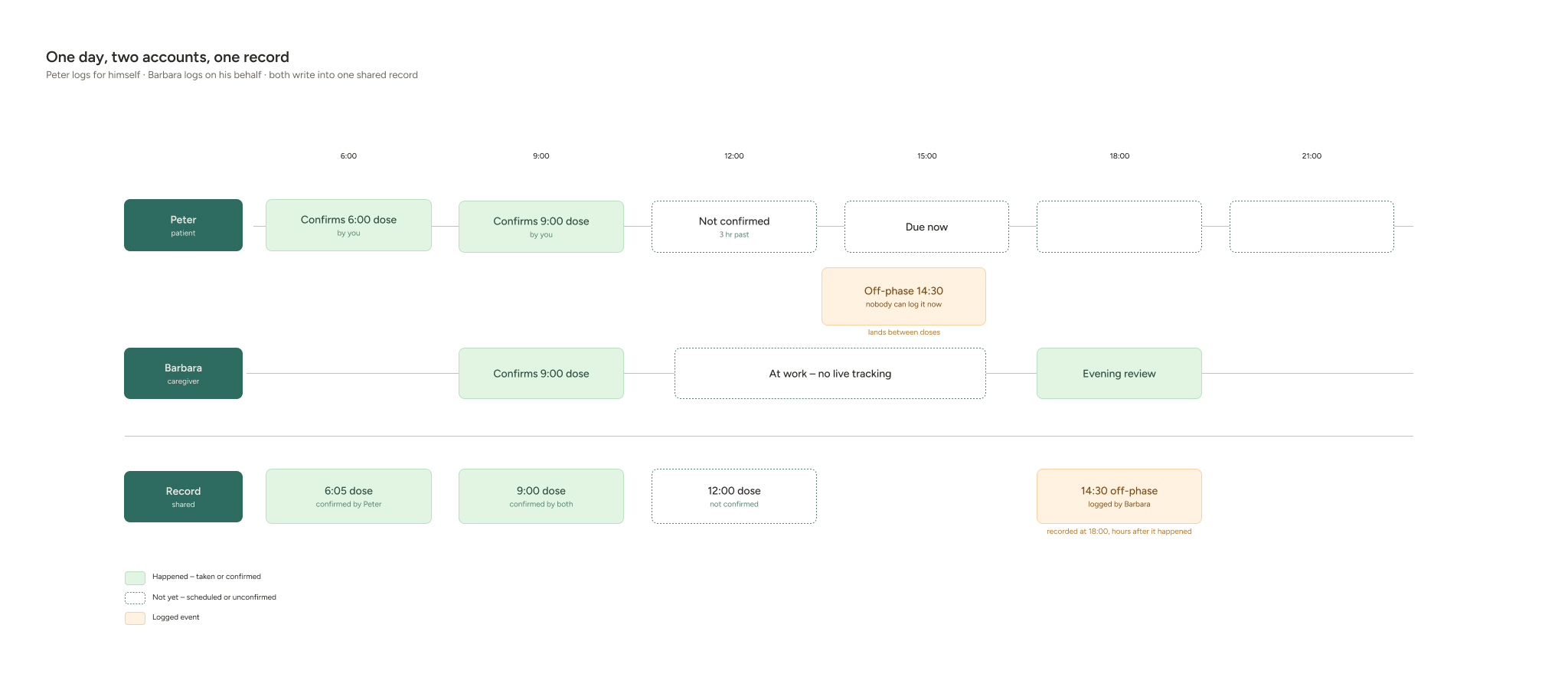
Mapping Barbara’s day located the sharpest point of friction: mid‑afternoon, when an off‑phase happens but there’s no time to log it in the moment. That single moment defined the app’s core principle — logging after the fact is the default, not the exception — and turned the day review, not a live‑tracking screen, into the app’s actual center of gravity.
03 — Approach
A Structure Built Around Logging Later
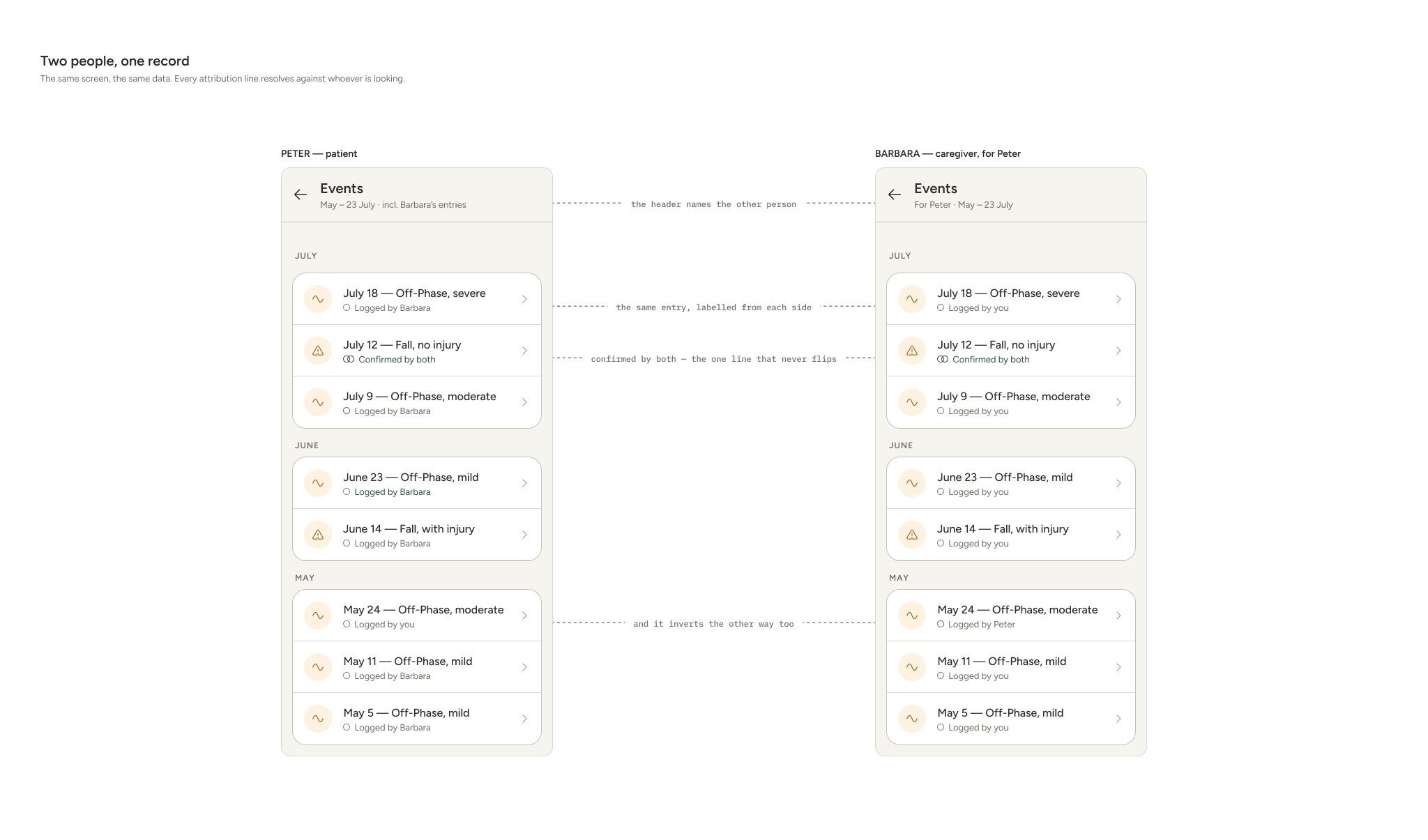
Structural decisions followed the same principle. There’s one shared patient record with two interchangeable input roles, patient‑self and caregiver, rather than a separate „caregiver mode.“ That interchangeable structure has an expiration date, though: as the disease progresses, some patients stop logging altogether and the caregiver becomes the primary source. Rather than a manual „stage“ setting, the shift is read from behavior. Peter’s own entries taper off, the Daily Review confirmation step quietly drops away once there’s no one left to use it, and Barbara’s notes save straight to his record instead. Mood stays the one exception, never logged on his behalf. The neurologist gets no app interface at all, just an exported report instead of an account, the same way paper‑based diaries are already handed over in practice. And the tab structure went from four tabs down to three: a fourth tab for the daily review was seriously considered, then deliberately dropped to keep navigation lean.
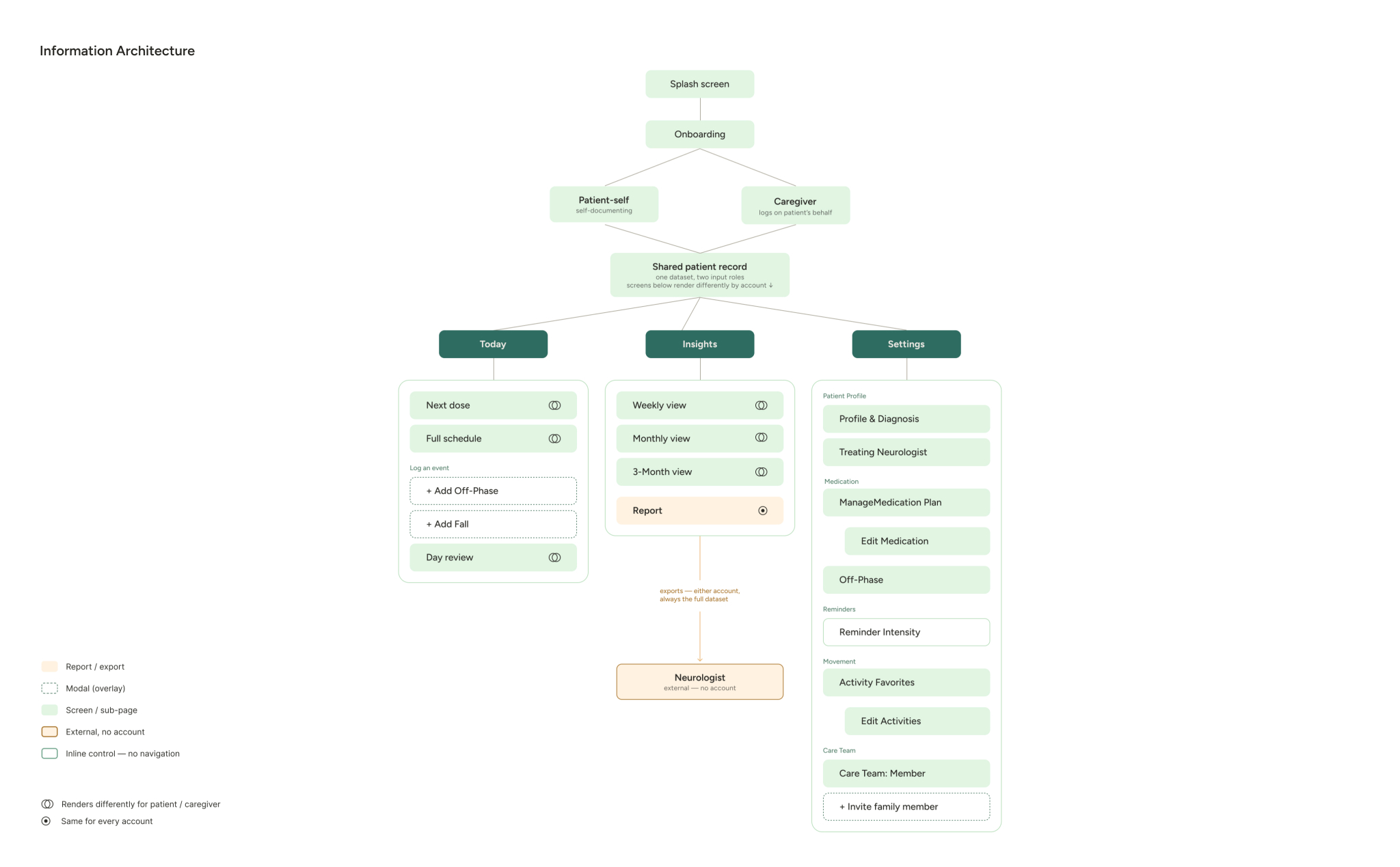
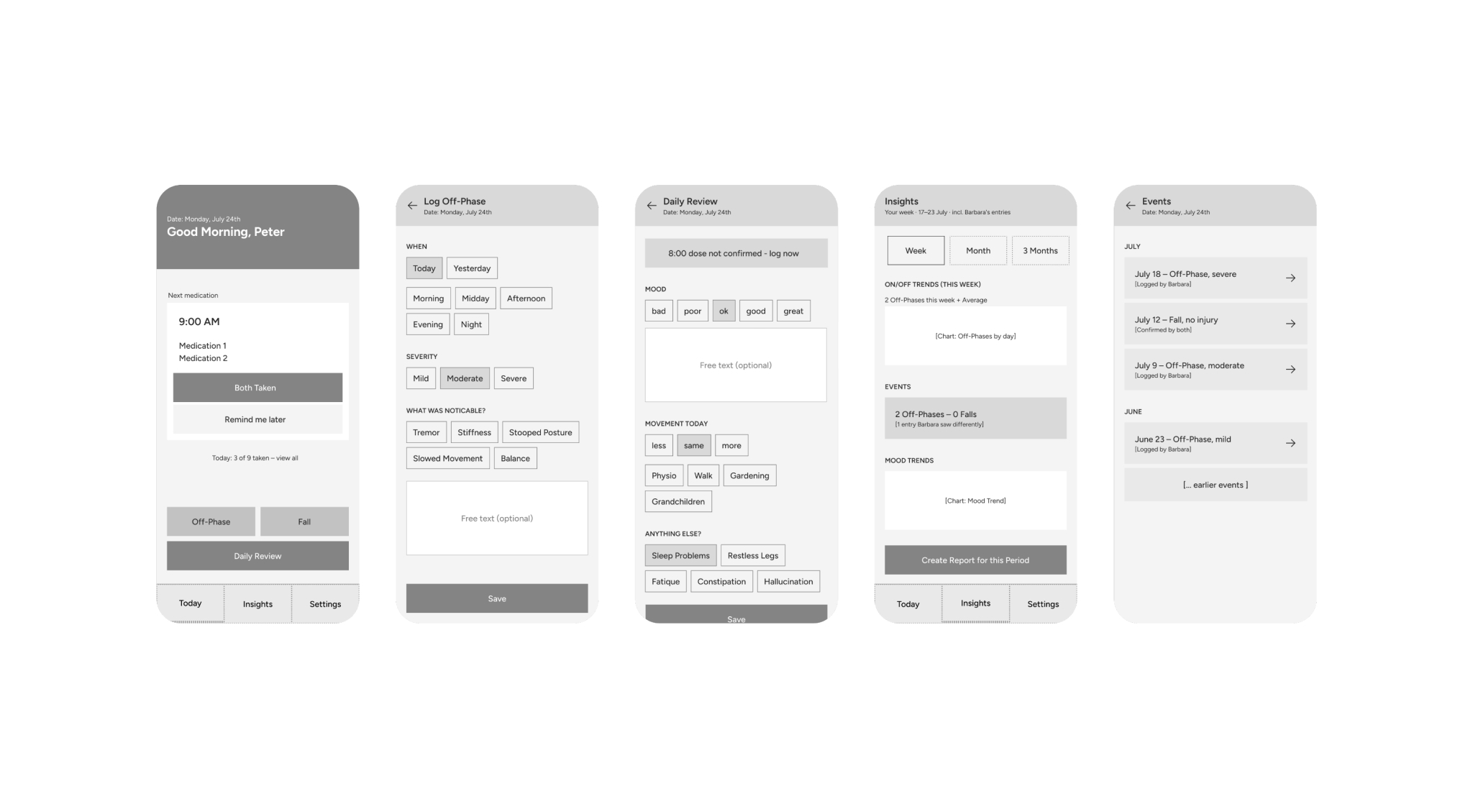
Five core flows were detailed end to end: logging an off‑phase retroactively, generating a report, medication reminders, inviting a care‑team member, and logging a fall. The reminder flow separates two things that are easy to conflate — escalation pressure and initial noticeability. There’s no repeated nagging; an unanswered reminder simply surfaces in the evening review. But initial intensity is configurable per account (subtle / noticeable / urgent), because a reminder that’s too quiet for one caregiver is simply missed.
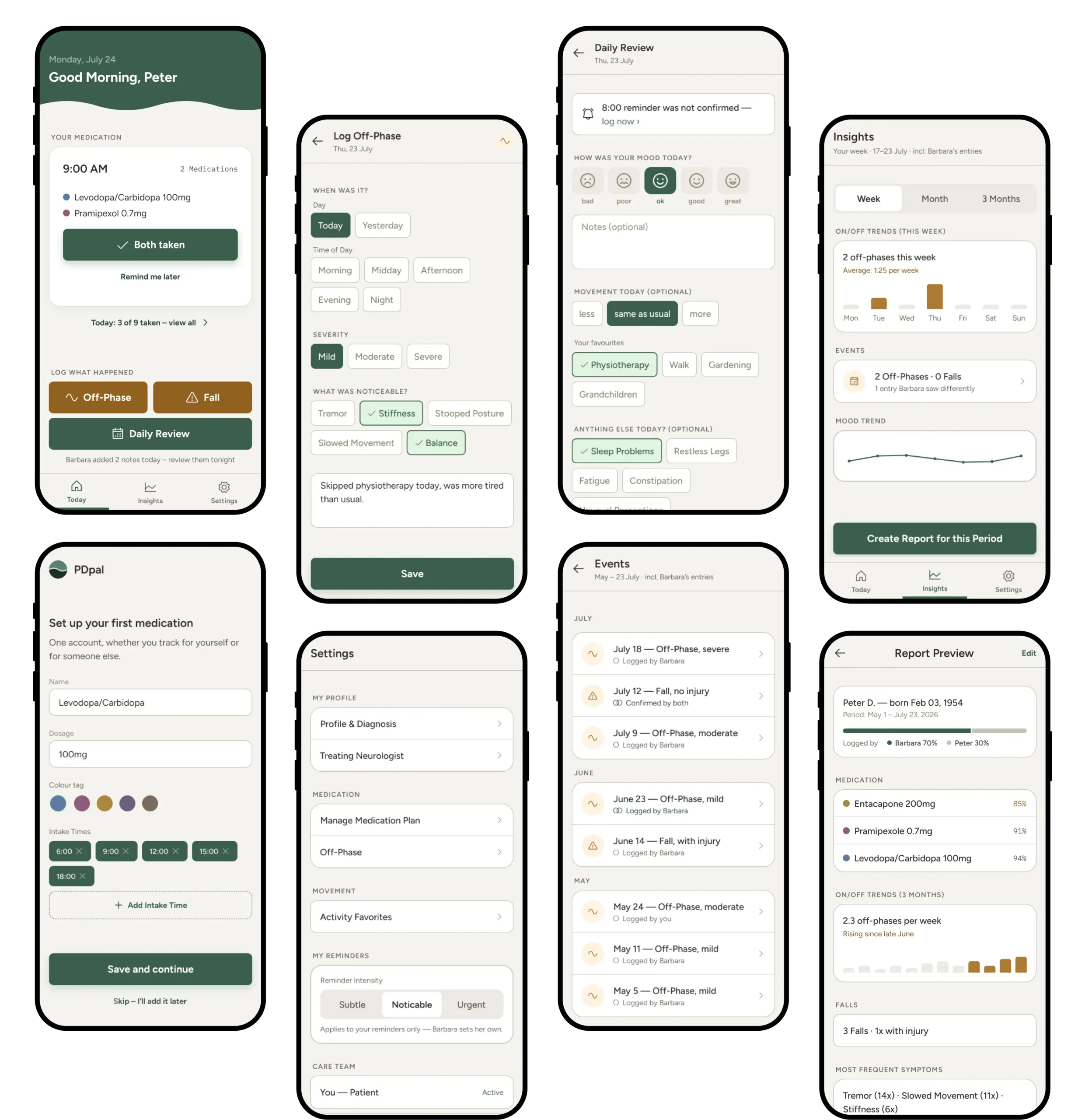
Logging an off‑phase or a fall follows one consistent pattern: When — Severity — Save. „When“ defaults to today with a morning / afternoon / evening selector instead of a precise clock, because patients rarely remember exact times but reliably remember which part of the day it was. Optional free‑text lets people add context without ever requiring it.
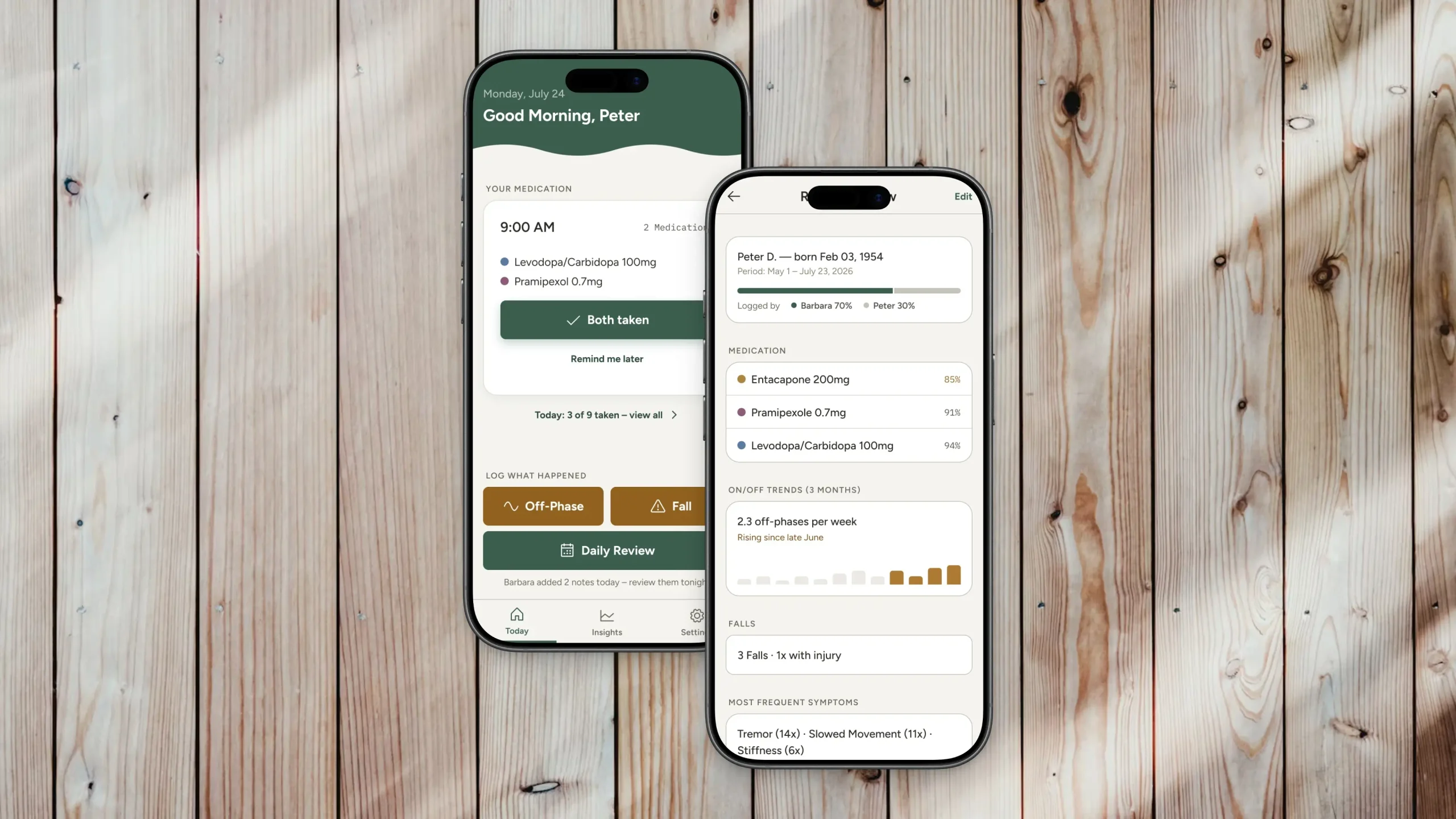
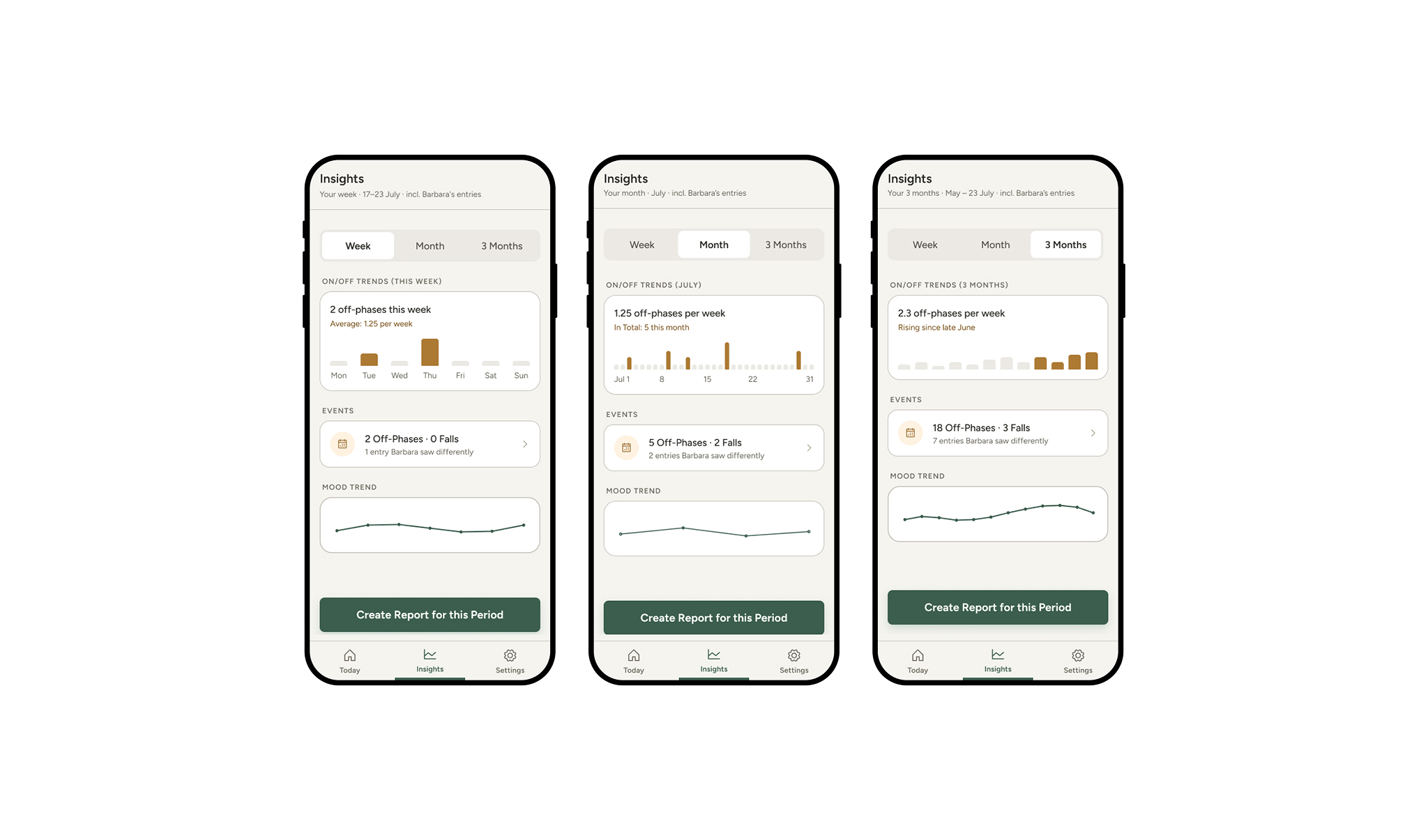
History reads at three different scales for three different questions: a weekly view of individual logged events, a monthly calendar that aggregates them, and a three‑month view that reveals trends as bars rather than dots. The same segmented control serves both patients checking in on themselves and neurologists scanning months of data in minutes.
04 — Design
Designing by Subtraction
Subtraction ran through the design phase at three levels: what a screen shows, what the product supports, and what a colour is allowed to mean.
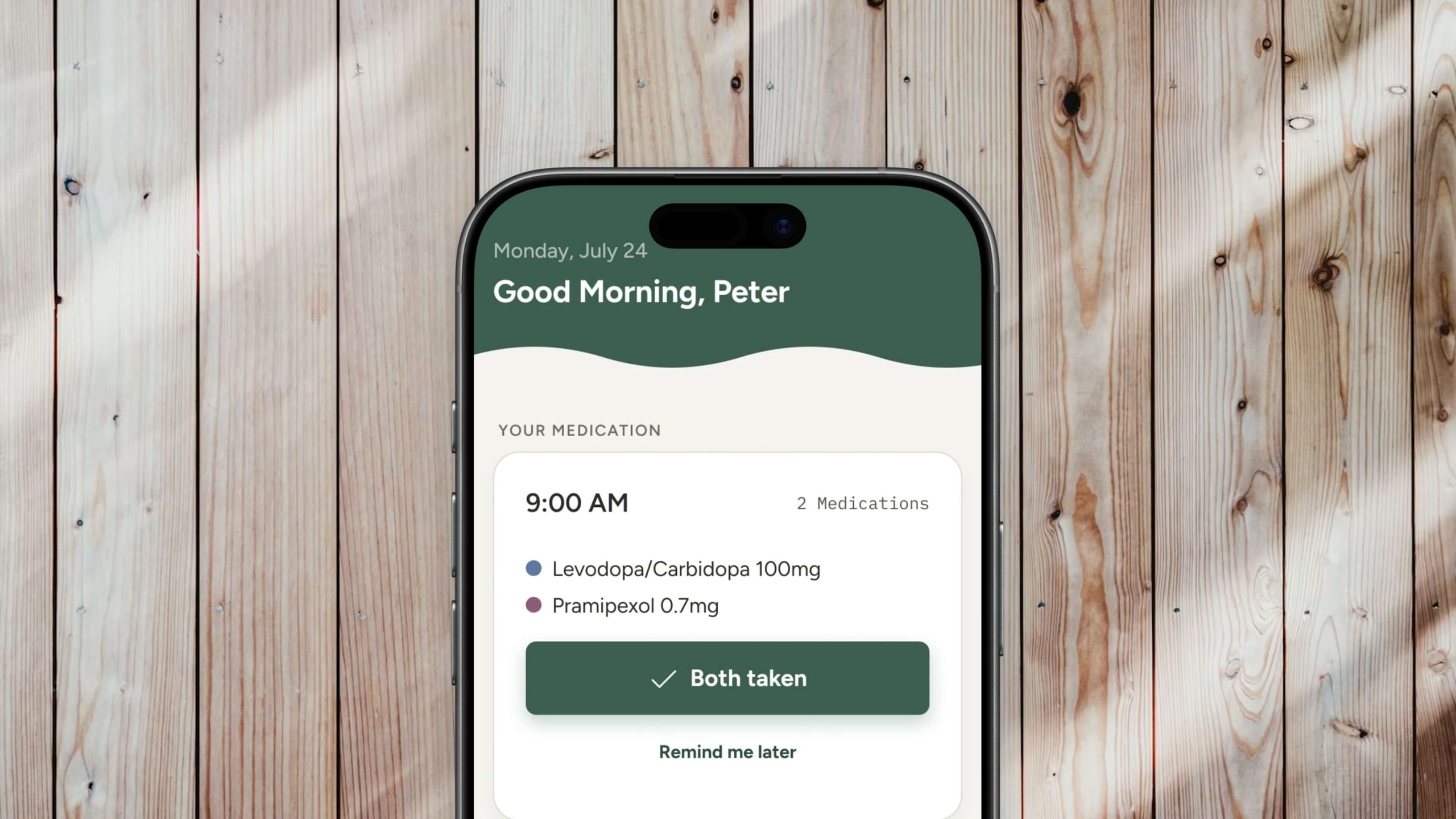
On the Today screen, that meant showing only the next dose (drug, amount, time) behind a single confirmation, with the full six‑window schedule tucked one tap away. It reframes the task from „manage twelve pills a day“ to „did I take the next one.“
Visual clutter on the Today screen. As more actions were added below the medication card, the screen accumulated several visual languages at once and felt overloaded. The fix, suggested by the client, was to separate actions by logic instead: medication is time‑bound and reads as a reminder, while off‑phases, falls, and the evening review are events with no fixed moment. That became the organising principle, one consistent button language grouped into two clearly labelled sections.
That same discipline carried into the color system: reduce to essentials, then organise by logic rather than surface similarity.
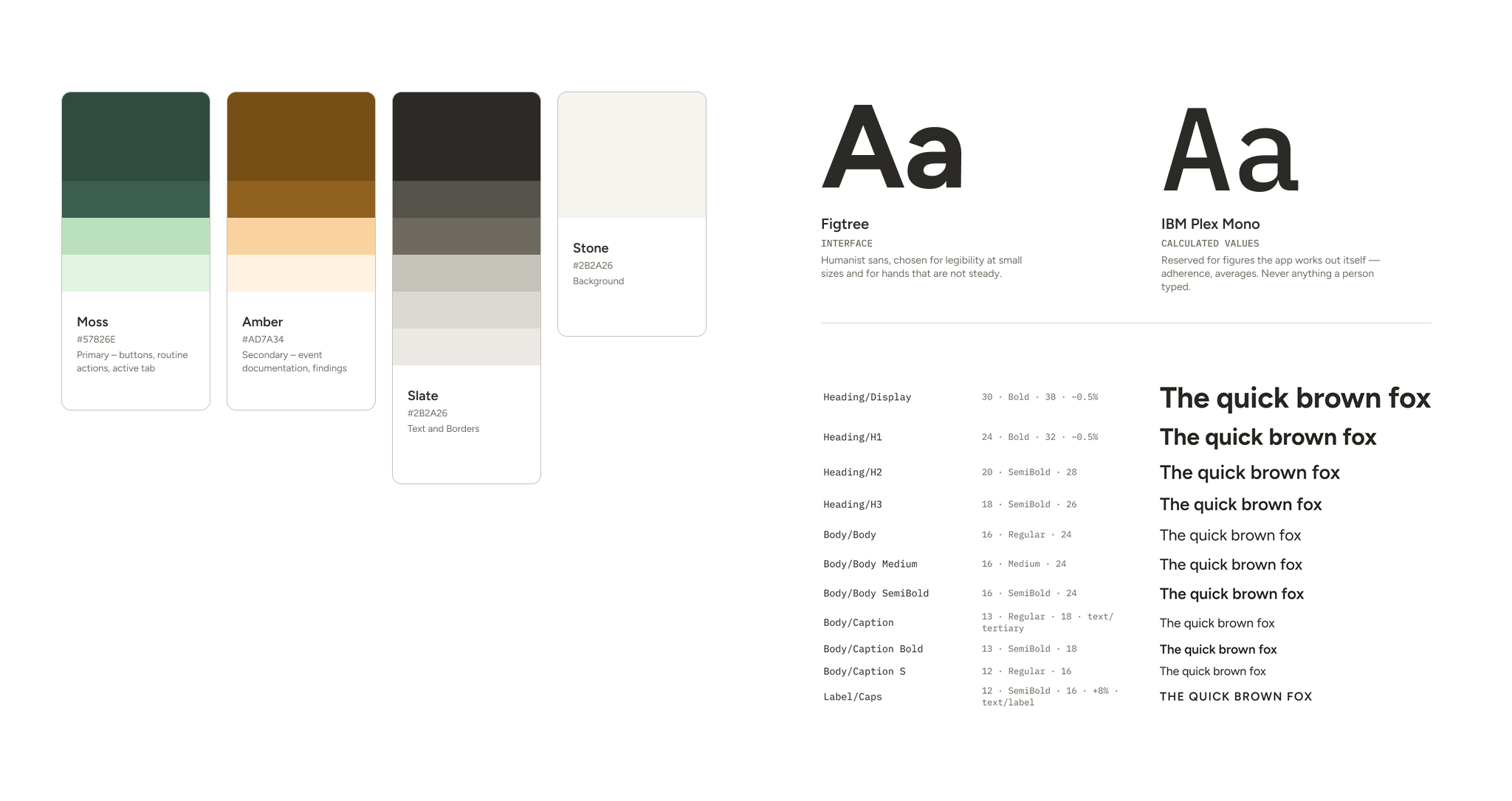
The same discipline shaped colour, which is coded semantically, never decoratively. Moss marks routine, action and configuration. Amber is reserved for event data — off-phases, falls and their details — never a neutral control, and never an administrative state: an unconfirmed dose is a gap in the record, not a symptom. The exception is the medication list, where each medication carries its own colour, matched to the pill itself — easier to recall than a name.
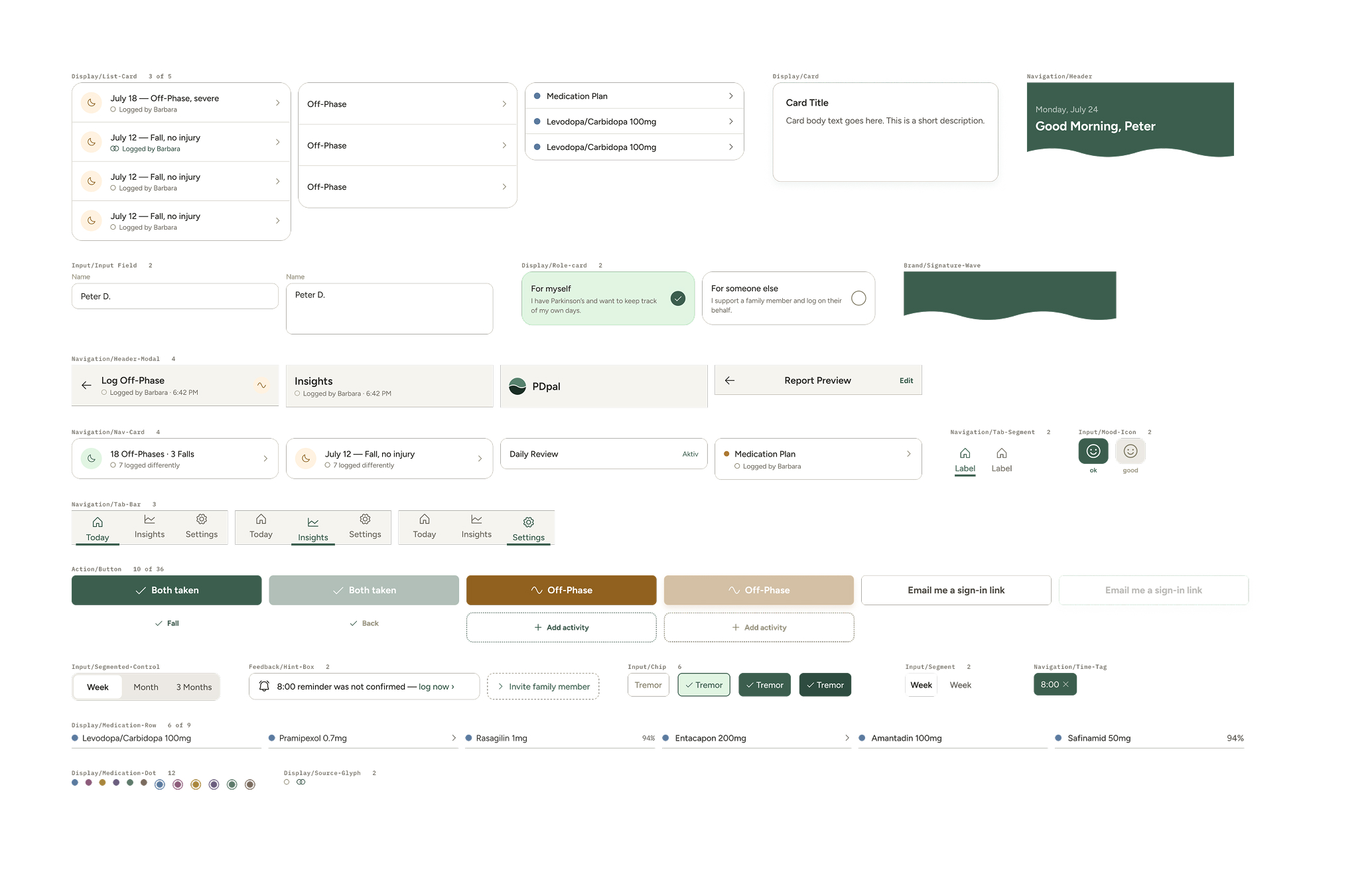
Because both people write into one record, every entry has to say who logged it — without turning every row into a byline. That signal is carried by shape rather than colour. A single ring before a name means one person logged it; two overlapping rings mean both confirmed it together. A count or a date never gets a ring — only a name does. Five circle shapes, one meaning each, written into the component library so the next screen inherits the rule instead of reinventing it.
Instead of a generic pill or cross icon, a continuous wave motif became PDpal’s signature, echoing the on/off fluctuation of the condition itself. It appears only on the two central activity screens, keeping its meaning instead of becoming decoration.
05 — Reflection
In Retrospect
Two principles guided every screen. The app never escalates: an unanswered medication prompt simply resurfaces in the day review instead of repeating. And colour is never the only signal: every colour‑coded state pairs with an icon, a label, or a size difference, so the interface holds up under colour‑vision deficiency.
The constant challenge was keeping cognitive load in check. This is an app reached for under stress, or with hands that don’t always cooperate, so reduction won out over addition at nearly every decision: fewer visible options, fewer required fields, fewer things demanding a decision at once. The role‑shift finding from the research held at the structural level too: the shared‑dataset, dual‑role architecture only works once that shift is the default, not an edge case.
The process produced a complete, production‑ready Figma design system: a full token architecture, and documented, reusable components. Next steps: usability validation with real patients and caregivers, with particular attention to motor‑friendliness, a colour‑blindness simulation pass, and a clickable prototype.